Read Notes
Use staff-and-note cards to make early note reading feel clear and repeatable.
Android First
The Android version is being developed first for a closed beta. KidsPiano will connect ear training, note reading, rhythm, keyboard practice, and progress tracking between lessons.
Closed Beta Signup
Use Google sign-in to confirm your email address. If it is your Google Play email, it can be used for beta instructions.
Only your Google account email, name, and profile image are requested, for beta instructions and duplicate checks.
KidsPiano helps beginners continue at home after each lesson: read notes, learn rhythm, identify sounds, play on the keyboard, and record progress with a light game-like rhythm.
Use staff-and-note cards to make early note reading feel clear and repeatable.
Build rhythm awareness through visual quizzes and printable cards.
The flagship ear quiz connects pitch recognition with note names.
Use the mock keyboard and videos to understand key positions and musical flow.
Scores, stars, combo streaks, and completion rates make growth visible.
Songs and practice steps open gradually so beginners can keep moving.
Digital Piano Link
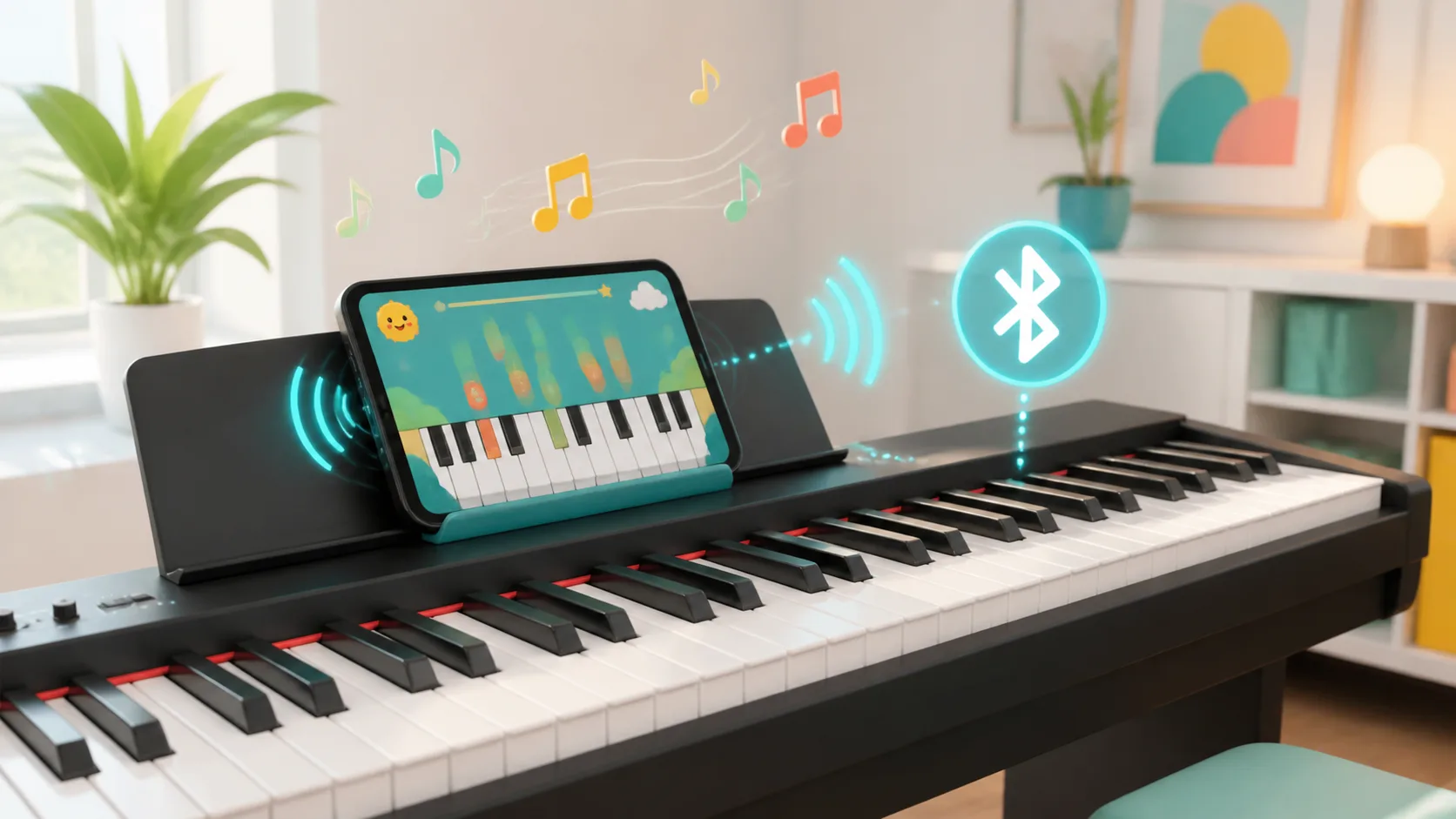
We are developing Bluetooth MIDI support so compatible digital pianos and MIDI keyboards can send played notes into the app. Learners can move from tapping the screen to practicing note reading and ear training on real keys at home.
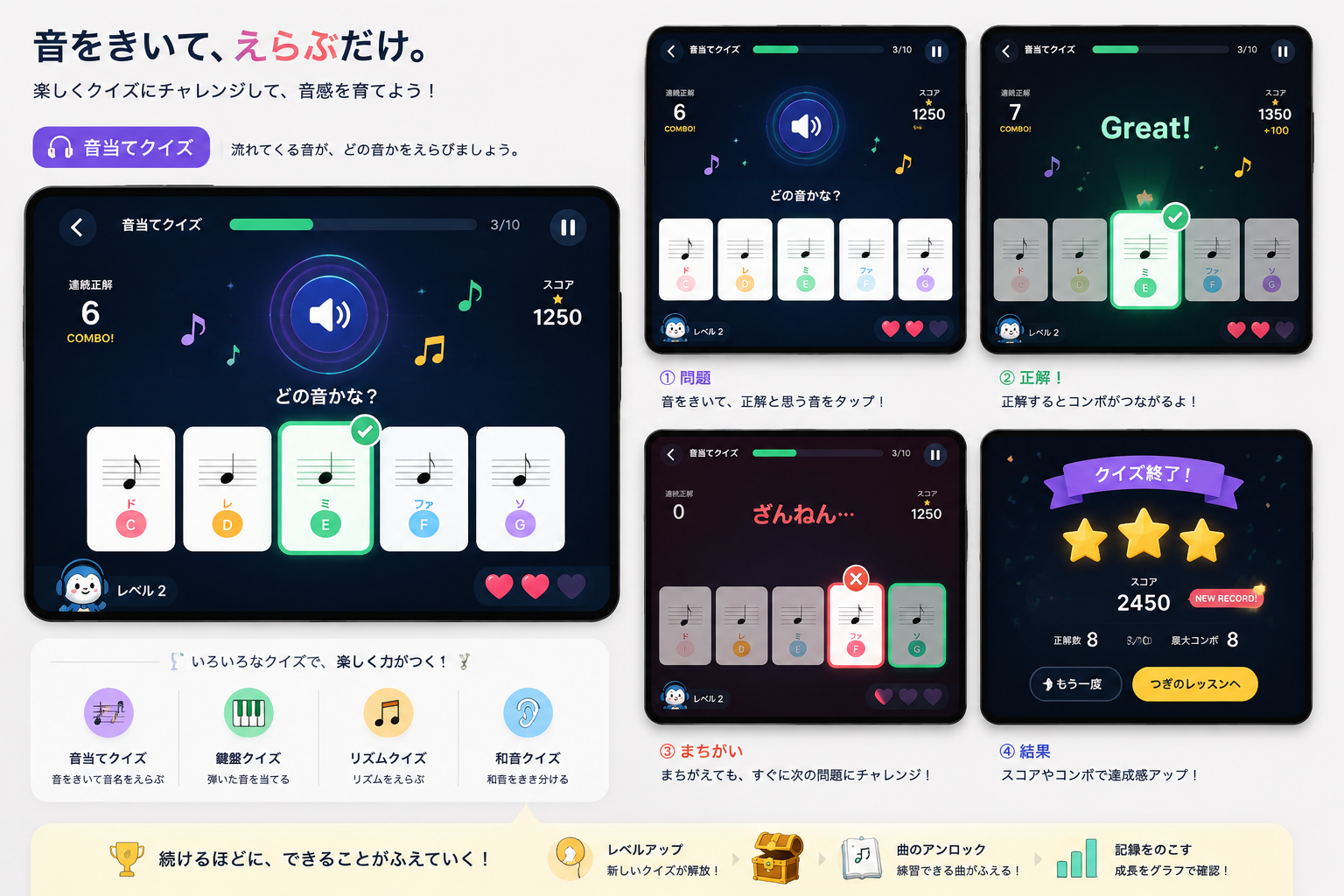
Progress 3/10, combo streaks, score, hearts, and levels. Correct answers feel bright; missed answers simply lead to the next try.
Which note is it?
The correct card glows green while score and combo rise.
Results show stars, correct answers, max combo, and score, then guide the learner to retry or continue.
Wrong answers are framed gently, then the learner sees the answer and moves on.
The more learners continue, the more they can do. Small wins keep home practice moving.